opencode·mobile

Your code never leaves your server.

The phone remote for opencode — a coding agent you host.

Watch it work. Tap approve.

Open the app
  • No account
  • No telemetry
  • No cloud
Where your data lives Your phone talks to your own server over HTTPS. Your code, keys, password and sessions stay inside that server. One prompt leaves for the model provider you choose, and the response comes back. your phone tap approve HTTPS · TLS YOUR SERVER your code + sessions API keys · root-only password · memory loopback · one door prompt response model provider · outside Where your data lives Your phone talks to your own server over HTTPS. Everything that matters stays inside that server; only a prompt leaves for the model provider you choose. your phone HTTPS · TLS YOUR SERVER code + sessions keys · root-only password · memory loopback · one door stays on hardware you own prompt response model provider · outside
Only two things leave: the prompt you send, the git ops you ask for.

01 — The app

A repo home page, not a chat box.

Open a repository and the app answers the boring questions first: what it is, what is open, and what your agents concluded about it.
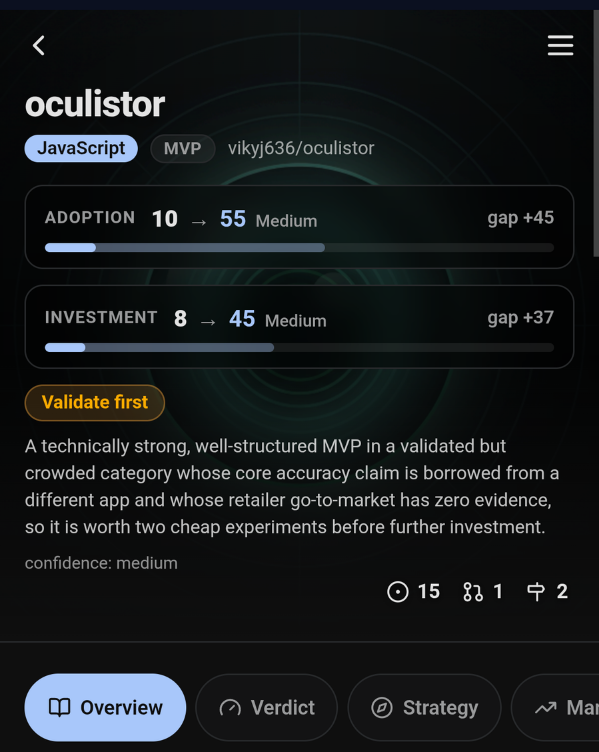
  • Insight tabs — Verdict, Strategy, Market — are written on demand by analyst agents, then cached in the repo for the next visit.
  • Every count is a door. Tap issues, PRs or milestones, open one, and start a session with that item already in the prompt.
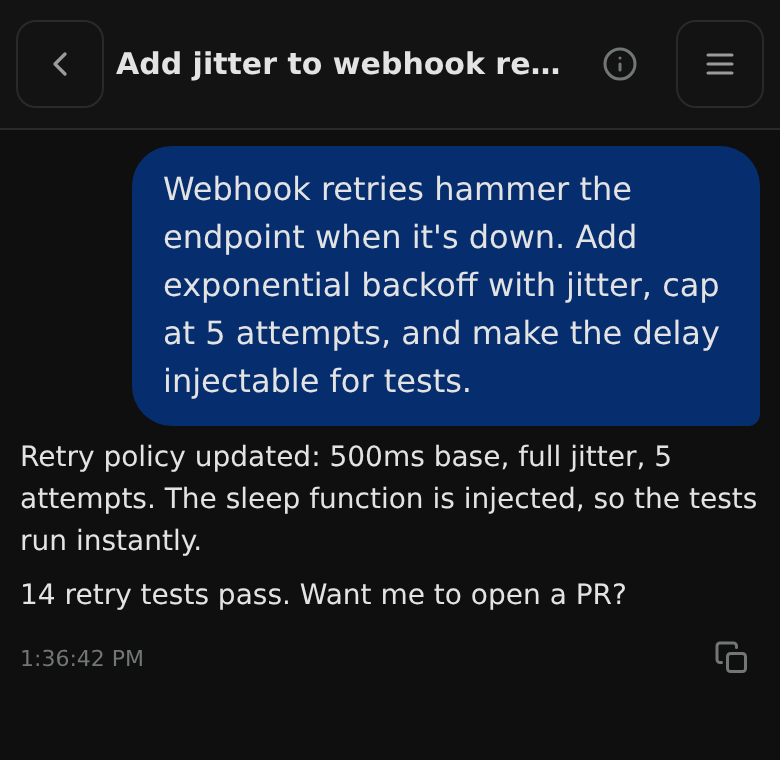
  • The thread is one tap away, and it looks like the terminal you left behind: messages, tool calls, approvals.
Project view for a repository: name, language, topics, contribution gaps, a verdict, and tabs for Overview, Verdict, Strategy and Market.
Project viewBanner, insights, tabs, README.
A session in the app: a prompt asking for retry backoff, the agent's reply, and a copy button on the message.
SessionAsk, read, approve, keep going.

02 — Agents

Not one agent. A crew, each on its own model.

Planning, writing, reviewing and escalating are different jobs. They should not be the same model at the same price.

The app ships roles — architect, implementer, critic, escalation, explore, plus the analysts behind the insight tabs. Each one is a real agent: its own prompt, its own tools, and its own model.

Assign them from the app. The choice lands on the next child session that spawns — no config file, no restart, no lost thread.

The bundled loops are just prewired role sets: Audit runs critic → implementer → escalation for up to three rounds; Council collects four blind opinions and a chairman; Game hardens a build until logic and visuals pass.

Agent models

per role
architect Plans the shape of a change
opus-4.6
implementer Writes the code, runs the tests
sonnet-5.5
critic Reads the diff, verdicts it
gpt-5.4
escalation Only the bugs the others gave up on
opus-4.6
explore Searches the repo, answers cheap
free tier

Example assignment. Same rows, same pickers, in the app.

A different vendor on the critic is the cheapest second opinion you can buy.

03 — Previews

Every pull request gets a URL your phone can open.

A branch builds into its own path on your domain — optionally behind a password of its own. Review it from the couch; the laptop stays shut.

Start a preview from the app, open the link in your phone browser, send it to whoever is reviewing. It goes away when the PR does.

/preview/checkout-api-42/
branch feat/retry-jitter
commit 9c1f2ab
auth optional · per preview
status live

No public tunnel, no third-party build service. The preview runs on the machine that already has your code.

04 — Included

The glue is already wired.

Four small plugins ship with the server and are on by default. They exist to stop the two failures that quietly ruin an agent team: a role that runs on the wrong model, and a session that keeps running after compaction.

01

Agent model bindings

Applies your per-role choices to the merged config at startup, so a task call cannot fall back to the parent model.

02

Runtime spawn

mode_spawn starts a child session with the model you pick at that moment and returns its answer inline. A dropped phone does not kill it.

03

Role binding

Rewrites a generic task call into the role the loop actually asked for. Escalation is never auto-mapped — the loop has to choose it.

04

No silent compaction

Autocontinue is switched off after a compaction: a long session stops and waits for you instead of drifting on.

Nothing phones home.

Keys on disk
Root-only files on the host. Never shipped to a vendor.
Password in memory
Held for the session. Never written to your device.
One door in
TLS at the proxy, loopback behind it. Outbound: your provider, your git.